

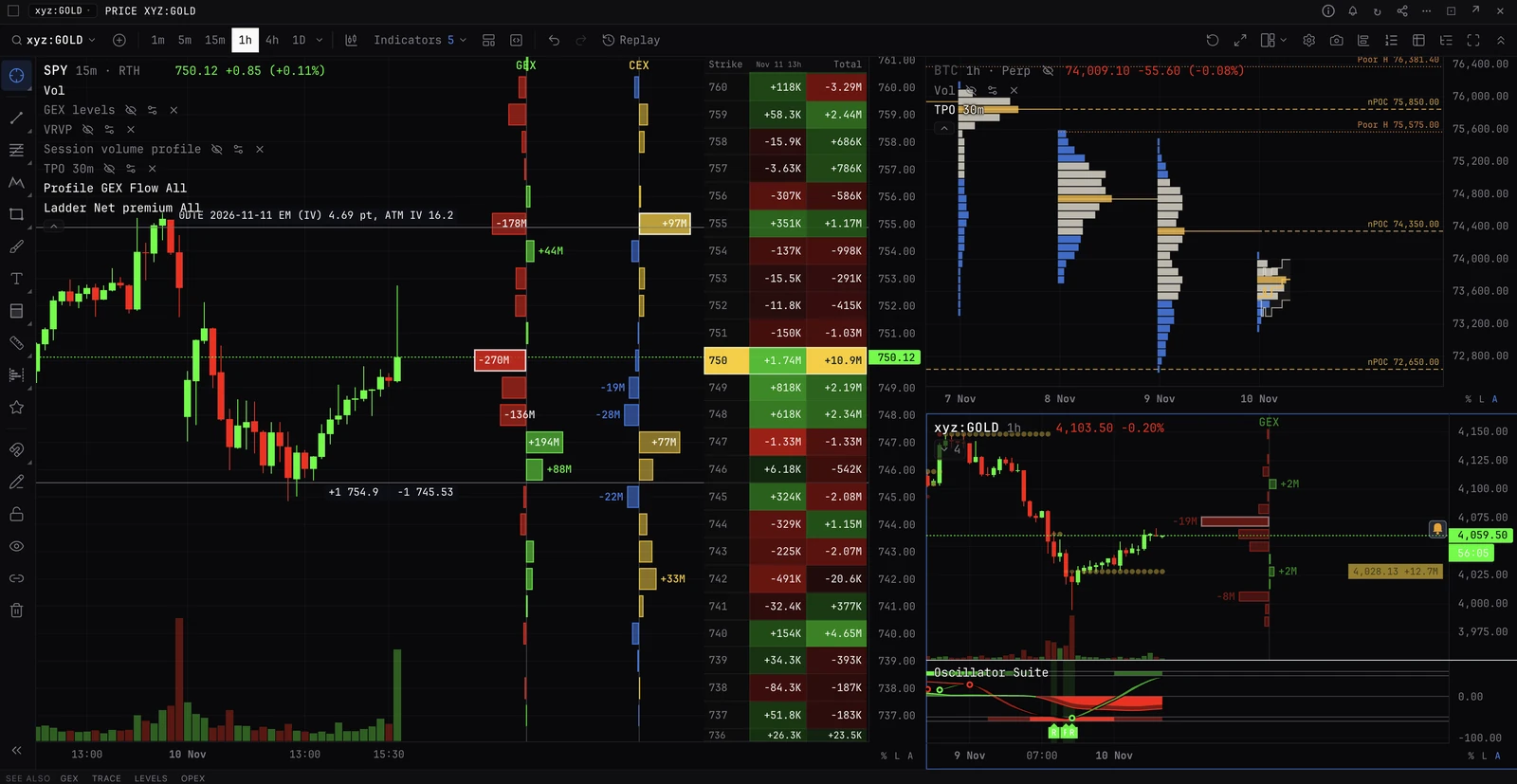
Trading

All your accounts in one place: options, futures, perps, spot and predictions on Hyperliquid, Deribit, Bybit, Derive, Lighter, RISEx, Binance and OKX, next to the charts, levels and flow you read. One book, one ticket, and your exchange keys stay in your browser.

Where you trade

>TRADE
Opens the trade page: chart, book, tape, ticket and positions on one screen.
TRADE
The trade page, in workspaces you arrange. Also at /trade.
EXEC
A trade desk in a new tab: chart with your orders, trading DOM, ticket, tape and positions, linked. EXEC OPTIONS opens the options desk.
ACCOUNTS
Connect an exchange. KEYS and CONNECT do the same.
PORT
Every account you trade, in one portfolio. Also at /portfolio.
BUY / SELL
Load the desk’s ticket: BUY 0.5 BTC 81K, SELL $1000 ETH MKT. Nothing is sent until you send it there.
CLOSE BTC
Close every BTC position on the accounts you tick, reduce-only. Shows what it will do first.
FLAT
Cancel every order and close every position with limits at the touch. Shows its plan first.

The exchanges

Hyperliquid
Perps and spot, including HIP-3 stocks, indices, commodities and FX. Connected with your wallet.
Deribit
Options, futures and spot. API key.
Bybit
Options, perps, futures and spot. API key.
Derive
Options, perps and spot. Connected with your wallet.
Lighter
Perps and spot. Connected with your wallet.
Binance
Perps and futures, and spot on its own key. API key.
OKX
Options, perps, futures and spot. API key.
RISEx
Perps. Connected with your wallet.

Real money

Every order goes to your own exchange account with real money, and BackQuant cannot undo an order once the exchange has it. The ticket asks before the first order each session on each account; Settings, Order confirmations changes that to Every order or Never. Arming one-click trading always asks.

Trading is in beta and at your own risk: BackQuant is software, not an exchange or a broker, and is not responsible for your orders or any loss. Read Risk and responsibility before your first trade.

Start here

All your accounts in one place, the risks and who is responsible for what, your exchange accounts and keys, where you trade (the trade page, the Pro terminal and a trading desk), the words you will meet, and your settings.

How to

Steps: what to press, in order, from connecting an exchange to your first order. Each guide ends with links to its reference pages.

Connect an exchange, step by stepOnce per exchange, a few minutes. The key is kept encrypted on this device and BackQuant never receives it. A key made from your wallet cannot withdraw; an API key that can is refused where the exchange shows its permissions (on Binance, check Withdrawals is off yourself). Every control and permission is in Exchange accounts and keys.Place your first tradeOn the trade page: choose the account and the market, fill the ticket, send. Every order goes to the exchange with your own funds. New to the words? Read New to trading first.Set up a workspaceThe trade page’s layouts: start from Classic, Options or Custom, add your own, and arrange the panels.Set a stop and take profitWith the entry, on a position you already hold, or by dragging on the chart.Close a position or get flatOne position, one coin on every account, or the whole account at once. Closes are reduce-only wherever the exchange allows it: they never open a position the other way. Only Reverse does, and only once its close has filled.Trade from the DOM or chartArm the market and a click sends. Locked, a click only fills the ticket.Work a big orderSplit it over time or hide its size, so it moves the price less. In the ticket under More.Buy or sell an option, or a spreadOn Deribit, Bybit, Derive and OKX, from the option chain.Auto-hedge: keep a coin neutralHolds your delta in a coin near a target by trading a perp, future or spot market on a Hyperliquid or Deribit account. It can count your accounts on other exchanges too.

Order types

Every order you can send, every setting, and who holds it on each exchange.

Trading panels

Every trading panel, control by control.

DOM ladderThe exchange’s book as a price ladder, with your orders, stops, entry and liquidation on their rows. Locked, a click loads the ticket. Armed, a click sends. Not the DOM command (Depth of Market), which is market data and does not trade. New to these words? See New to trading.Trade padThe DOM’s trading controls in a panel of their own: leverage, size, Arm, market buys and sells, Close, Reverse and Cancel. Put it beside a chart, under the book, or on a second screen. New to these words? See New to trading.Order book and tradesThe exchange’s own book and its trades for the panel’s market, from your account’s connection. A click on the book loads a price into the ticket; nothing here sends. New to these words? See New to trading.Trading on the chartYour orders, stops, take profits, position and liquidation drawn at the exchange’s prices, and trading from them: drag, cancel, hold a key and click, or right-click a price. New to these words? See New to trading.Positions and ordersOne panel, named Positions and orders everywhere: BLOTTER opens it in the Pro terminal, and it sits on the trade page and on every trading desk. Tabs: Positions, Orders, Fills, Closed and Algos, every account’s or one. New to these words? See New to trading.The option chainThe exchange’s calls and puts for one coin and expiry, strike by strike, priced live. A click on a bid or an ask puts that option in the ticket; more clicks make a package. On Deribit, Bybit, Derive and OKX. New to these words? See New to trading.Structures and packagesSeveral option legs as one trade: built from the chain’s Strategies, the Structures panel or clicks on the chain, then sent from the multi-leg ticket to the order book as a package, as a block RFQ, or as the exchange’s listed combo, with an optional hedge. New to these words? See New to trading.Block RFQYour block requests and the makers’ quotes on them, live, with each quote read against the legs’ mark. Take one, or cancel the request. On Deribit, Bybit and Derive. New to these words? See New to trading.Watchlist and marketsYour starred markets, from any exchange, in one live list (XWATCH), and the market picker in every panel header. The watchlist is the same stars as the picker’s favourites. New to these words? See New to trading.Market bar and ActionsThe account orders go to, its funds, whether it can trade now, and the Actions menu that cancels, closes, flattens and hedges. New to these words? See New to trading.

Portfolio

Your whole book: equity, exposure, profit and risk across every account.

How it works

What happens inside, in the order a trader meets it: what an order does, and what happens when something goes wrong.