

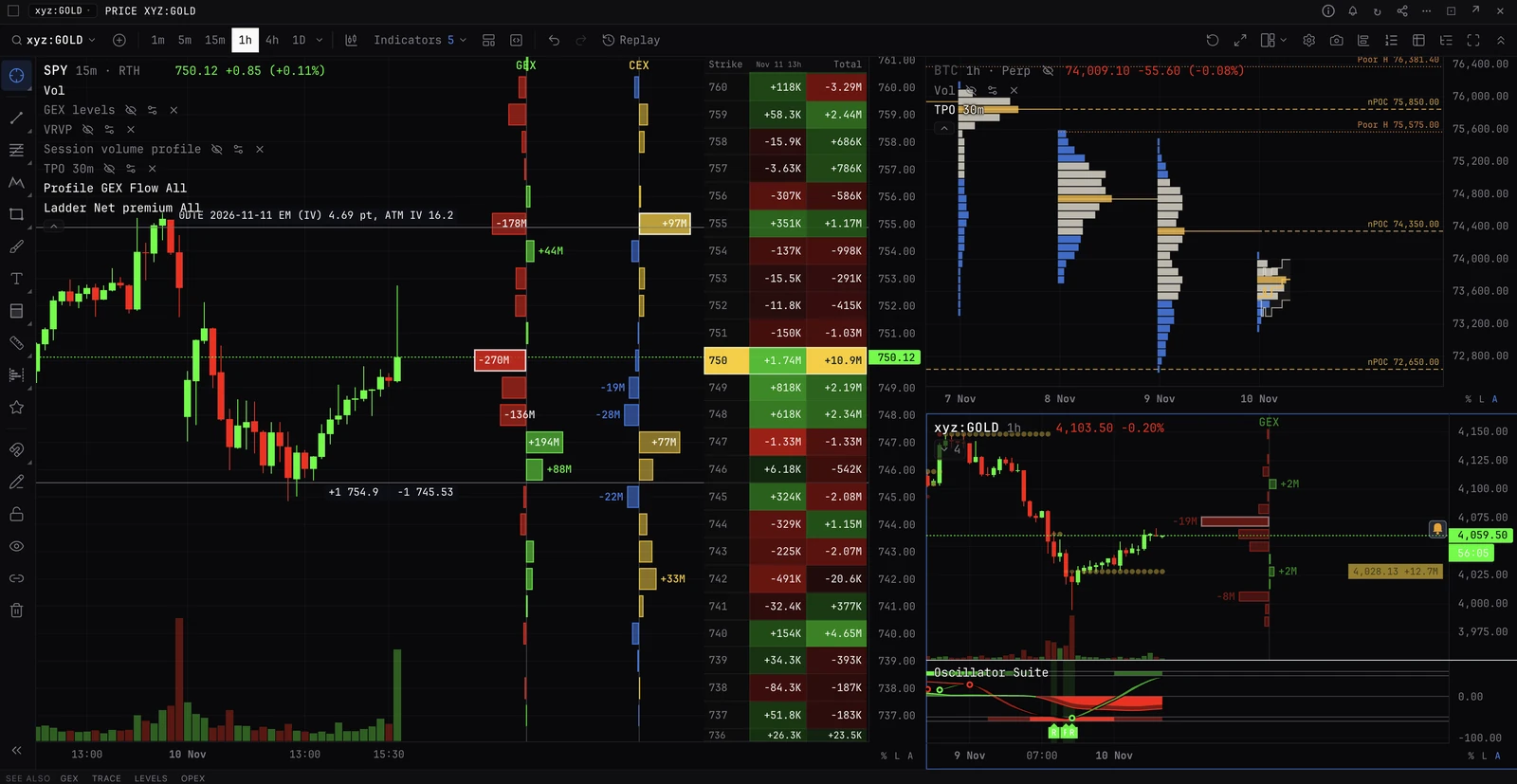
The free plan
A free account opens the whole terminal, with no card. ETH is live, every other coin is 24 hours delayed, US stocks read to the last market close, and trading is free.
At a glance
This page is the one place that lists every free plan rule. If a panel page and this page ever disagree, this page is right.
| Feature | Free | Paid |
|---|---|---|
| ETH | Live, in every panel | Live |
| Other coins | 24 hours delayed | Live |
| US stocks, ETFs and indices (charts, options panels, stock flow) | The 45 US options names, at the last close | Live |
| Stock research (FUNDAMENTALS, FA, GF, ERN, INSIDER, 8K and the rest) | Every company the panel covers, as public at the last close | Live |
| 24/7 gold, silver, stock and index perps on Hyperliquid | Live on the chart | Live |
| Order book, DOM and AGGR | Live on every coin they cover | Live |
| Macro data | As published | As published |
| Panels per tab | 5 (trading and portfolio panels do not count) | Unlimited |
| Tabs | 2, plus one trading tab of each kind | Unlimited |
| Charts per layout | 2 | 8 |
| Indicators per chart | 5 | 15 on Monthly, 20 on Yearly |
| Price history | 30 days | Full |
| Tick, range and seconds bars | ETH only | BTC and ETH |
| Watches and alerts | 3, on ETH, checked every 15 minutes, in the app only | Up to 100, any covered ticker, checked as data arrives, also by push, email or Telegram |
| Built-in AI | 5 messages a day | 20 messages a day; unlimited with your own API key |
| Trading | Free, on every connected exchange | The same |
| Panels locked outright | STRATEGY, and DES on ETH or a US ticker | None |
- Free
- Live, in every panel
- Paid
- Live
- Free
- 24 hours delayed
- Paid
- Live
- Free
- The 45 US options names, at the last close
- Paid
- Live
- Free
- Every company the panel covers, as public at the last close
- Paid
- Live
- Free
- Live on the chart
- Paid
- Live
- Free
- Live on every coin they cover
- Paid
- Live
- Free
- As published
- Paid
- As published
- Free
- 5 (trading and portfolio panels do not count)
- Paid
- Unlimited
- Free
- 2, plus one trading tab of each kind
- Paid
- Unlimited
- Free
- 2
- Paid
- 8
- Free
- 5
- Paid
- 15 on Monthly, 20 on Yearly
- Free
- 30 days
- Paid
- Full
- Free
- ETH only
- Paid
- BTC and ETH
- Free
- 3, on ETH, checked every 15 minutes, in the app only
- Paid
- Up to 100, any covered ticker, checked as data arrives, also by push, email or Telegram
- Free
- 5 messages a day
- Paid
- 20 messages a day; unlimited with your own API key
- Free
- Free, on every connected exchange
- Paid
- The same
- Free
- STRATEGY, and DES on ETH or a US ticker
- Paid
- None
Who has the free plan
- Anyone signed in without a paid terminal plan.
- Customers on a Crypto API plan, and anyone using the API evaluation key. They open the free terminal and upgrade from their API dashboard.
Coins: ETH live, the rest 24 hours delayed
ETH is live in every panel, the same as on a paid plan.
Every other coin reads to the hour 24 hours back. At 14:20 UTC on Tuesday, BTC data ends at 14:00 UTC on Monday. The server sets this cutoff, so nothing later can be read.
A delayed panel carries a delayed chip. Hover it for the exact time the data ends, and click it to upgrade.
Which coins each panel can show delayed
Most panels can show any coin delayed. Some panels only have stored history for a few coins, so only those coins open delayed there. On any other coin the panel shows ETH instead, with a line saying so.
COMPASS and VOLTABLE rank every name at once, so ETH there is 24 hours delayed like the other coins.
| Panels | Coins delayed on free |
|---|---|
| The chart, PRICE, STUDY, LIQ, OIQUAD, CVDQUAD, DES | Any coin |
| Options panels: GEX, LEVELS, TRACE, GEXCHART, CHAIN, OISTRIKE, GREEK, HEATMAP, MAXPAIN, OPEX, SMILE, TS, SKEW, IVRV, PCR, SUMMARY, SURFACE, TOPO, GREEKTERM, DEX, EXPFC, HEDGE | BTC, SOL and HYPE |
| PREMFLOW, 0DTEFLOW, LIQMAP, VBOOK, SCAN | BTC, SOL and HYPE |
| The options tape (TAPE, WHALES, WW, AGGRIMB, DRIFT, FLOWLINE) and DVOL | BTC |
| ETFFLOW | BTC, SOL and XRP |
| ETFPREM | BTC |
| CORRMAT and the scanners (EMSCAN, FLOWSCAN, DRIFTSCAN) | Every name they list: coins 24 hours delayed, stocks at the last close |
| COMPASS and VOLTABLE | Every coin, ETH included |
- Coins delayed on free
- Any coin
- Coins delayed on free
- BTC, SOL and HYPE
- Coins delayed on free
- BTC, SOL and HYPE
- Coins delayed on free
- BTC
- Coins delayed on free
- BTC, SOL and XRP
- Coins delayed on free
- BTC
- Coins delayed on free
- Every name they list: coins 24 hours delayed, stocks at the last close
- Coins delayed on free
- Every coin, ETH included
Order books and trades are live on every coin
OB, DOM and AGGR are live on every coin they cover, the same as on a paid plan: an exchange's own order book and trades are public live. Free accounts share part of the order book service, so at the busiest times a free book can say the live book comes with a paid plan until there is room.
XRP options
XRP options are paid: GEX XRP and the other options panels on XRP show ETH on the free plan. An XRP chart still opens, 24 hours delayed.
US stocks: the 45 options names at the last close
The chart and the options panels open every one of the 45 US names BackQuant carries options data for: 41 stocks and ETFs (such as AAPL, NVDA, TSLA, SPY, QQQ, IWM and GLD) and 4 indices (SPX, NDX, RUT and VIX).
They read to the last close: 16:00 New York time (13:00 on a half day) on the last trading day before today. During Tuesday's session, and on Tuesday evening, you see Monday's close. On a weekday that data is between 8 and about 32 hours old, and older over a weekend or holiday.
Gamma levels, walls, the strike ladder, the chain, skew, smile, surface and expected move are all rebuilt as they stood at that close.
A stock outside the 45 names does not open on the free chart.
- At the last close
- The chart, PRICE, STUDY, GEX, LEVELS, TRACE, GEXCHART, CHAIN, OISTRIKE, GREEK, HEATMAP, MAXPAIN, OPEX, SMILE, TS, SKEW, SUMMARY, SURFACE, DEX, EXPFC and the scanners.
- Paid on a US ticker
- GREEKTERM, TOPO, IVRV, PCR, PREMFLOW and 0DTEFLOW. On the free plan they show ETH instead.
- The last session
- FLOWTAPE, DARKPOOL, UOA and FLOWBOARD show the last full session, read to its close, with no live updates. On UOA the live view becomes CLOSE.
Stock research: every company, as public at the last close
The research panels are not limited to the 27 core names on the free plan. They take every company they cover on a paid plan, including every S&P 500 company.
13F and FILINGS cover the 27 core names on every plan. On the free plan FILINGS opens the filing documents BackQuant already holds; it does not fetch a missing one.
- FUNDAMENTALS, INSIDER, 8K, NEWS, CONGRESS, SHORTVOL, 13F, FILINGS
- What was public by the last close.
- FA, GF, ERN
- A company's reported financials, estimates and earnings record as they are, with no delay. These change once a quarter.
- CALENDAR, EARNINGS, SURPHIST
- Events up to the last close. Their BTC reaction figures end at the coin cutoff.
Macro, COT and quant panels
- MACRO, TYIELDS, CPI, PCE, CREDIT, MACROREG, LIQIDX
- As published. Official macro data already arrives a day or more after the period it covers.
- COT, COTCONC, COTPRICE, COTSEAS, COTSPREAD, COTU, CROWD
- The reports public by the last close. COT is a weekly report.
- CORR, PCA, RISKPAR, REGR, SPREAD, MC, GARCH
- They run on the free plan. Any coin series in them is 24 hours delayed, ETH aside, and raw price history is 30 days.
Panels locked outright
| Panel | On the free plan |
|---|---|
| STRATEGY (the strategy builder) | Locked: the panel says it is a paid panel, with an Upgrade or trial button |
| DES on ETH or on a US ticker | Locked the same way. DES on any other coin opens, 24 hours delayed |
- On the free plan
- Locked: the panel says it is a paid panel, with an Upgrade or trial button
- On the free plan
- Locked the same way. DES on any other coin opens, 24 hours delayed
Panels locked in part
| Panel | What is paid | What shows instead |
|---|---|---|
| EARNINGS | The BOARD view and its implied moves | The panel opens on LIST; CALENDAR also works |
| REPORT | The US equity notes (US pre-open, US close) and the archive | The two crypto daily briefs (NY pre-open and Asia setup), latest edition |
| OISTRIKE on a US ticker | The Flow view: bought and sold by strike for a session | A paid-only line in that view; the open interest views work |
| HEATMAP on a delayed ticker | The grid by expiry, and the PREM and VOL metrics | A card saying that view is live data only |
| SURFACE on a delayed coin | The probability view | The other views, delayed |
| DOM on a coin other than ETH | The Volume, Levels and VWAP columns | The live book without those columns |
| DVOL | One year of rank and range | Rank and range over 30 days |
| SMILE and TS | A year of smile history for Range | 30 days |
| COTPRICE | A year of price | 30 days of price; the positioning keeps its history |
- What is paid
- The BOARD view and its implied moves
- What shows instead
- The panel opens on LIST; CALENDAR also works
- What is paid
- The US equity notes (US pre-open, US close) and the archive
- What shows instead
- The two crypto daily briefs (NY pre-open and Asia setup), latest edition
- What is paid
- The Flow view: bought and sold by strike for a session
- What shows instead
- A paid-only line in that view; the open interest views work
- What is paid
- The grid by expiry, and the PREM and VOL metrics
- What shows instead
- A card saying that view is live data only
- What is paid
- The probability view
- What shows instead
- The other views, delayed
- What is paid
- The Volume, Levels and VWAP columns
- What shows instead
- The live book without those columns
- What is paid
- One year of rank and range
- What shows instead
- Rank and range over 30 days
- What is paid
- A year of smile history for Range
- What shows instead
- 30 days
- What is paid
- A year of price
- What shows instead
- 30 days of price; the positioning keeps its history
What a locked panel looks like
- A paid panel. The panel frame stays, and its body says the panel is paid, with an Upgrade button. Accounts that never subscribed see Start 7-day free trial instead.
- A coin outside the plan. The panel shows the same view on ETH, with a line such as: Showing ETH on the free plan. BTC with a trial. The panel's own settings are not changed, so it returns to BTC after you upgrade.
- Over the panel limit. The panel says the free desk holds 5 panels. Close a panel and the next one opens.
Panel and tab limits
- 5 panels per tab. When a tab is full, opening a panel from the command bar, a pinned button or BROWSE puts the new panel in place of the last one, with an Undo. Opening one any other way is refused, with a message.
- Trading panels do not count. The trade desk, its chart, book, ticket and positions, and the portfolio sit outside the 5.
- 2 tabs, plus trading tabs. One trading tab of each kind sits outside the 2 tab limit: the Pro trading desk, the EXEC perp desk and the EXEC options desk. A second copy of a trading tab counts like any other tab.
- Shared desks from the Hub. Copying (forking) a desk from the Hub opens it in a new tab, so you need a free tab slot. On the free plan the copy opens with its first 5 panels, and the Hub says so before it opens.
- After a paid plan ends. Nothing is deleted. A desk with more than 5 panels shows its first 5, and the rest say where they sit (panel 7 of 12). A chart saved with more than 5 indicators draws the first 5 and keeps the rest in its settings. Everything comes back when you upgrade.
Charts
- Symbols. ETH live; every other coin 24 hours delayed; the 45 US options names at the last close; and the 24/7 gold, silver, stock and index perps on Hyperliquid, live.
- 24/7 perps. When one of those markets draws options levels from the fund or index it tracks (GLD's on gold, for example), the levels are from the last US close.
- Single-exchange markets. One exchange's own market, such as BTC on Hyperliquid, is not in the free chart's ticker search. The chart's coins are the cross-exchange aggregate.
- History. 30 days of price bars. Load older is not available. Replay works within the last 30 days.
- Layouts. Up to 2 charts per layout. A saved layout with more shows its first 2.
- Indicators. Up to 5 per chart. Volume counts as one; compared symbols do not count.
- Tick, range, seconds, renko and volume bars. ETH only.
- Order book heatmap. Off on a delayed chart.
- BackQuant overlays. Gamma levels, the options profile, key levels and the rest follow the ticker's delay. A source that is live only says live only in the legend.
Watches and alerts
Free watches keep running on BackQuant's servers after you close the terminal. Each alert waits in the notification centre until you open the terminal again. There is no push, email or Telegram on the free plan, so nothing reaches you while every tab is closed.
Watches the AI makes for you follow the same rules.
| Free | Paid | |
|---|---|---|
| How many | 3 in total: watches, chart alerts and indicator alerts together | Up to 100 |
| Tickers | ETH only | Every covered coin and US ticker |
| How often checked | At most every 15 minutes | As data arrives, every few seconds |
| Where it runs | On BackQuant's servers | On BackQuant's servers |
| Delivery | In the app: the notification centre, with a toast and sound when a tab is open | In the app, plus browser push, email and Telegram |
- Free
- 3 in total: watches, chart alerts and indicator alerts together
- Paid
- Up to 100
- Free
- ETH only
- Paid
- Every covered coin and US ticker
- Free
- At most every 15 minutes
- Paid
- As data arrives, every few seconds
- Free
- On BackQuant's servers
- Paid
- On BackQuant's servers
- Free
- In the app: the notification centre, with a toast and sound when a tab is open
- Paid
- In the app, plus browser push, email and Telegram
AI
The built-in AI gives free accounts 5 messages a day and paid accounts 20. With your own API key from a model provider there is no daily limit. The AI panel shows how many are left today. The allowance resets at 00:00 UTC. When it runs out, the panel says so and offers the upgrade.
On the free plan the AI reads data the way your panels do: ETH live, other coins 24 hours delayed, US stocks at the last close.
Trading is free
Connect an exchange and trade from the trade page and the trading desks on the free plan, exactly as on a paid plan. Trading and portfolio panels are outside the panel and tab limits.
Your plan does not change how you trade or what you pay to trade. Where BackQuant adds a fee on an exchange, it is 0.01% at most, and you see and approve it when you connect. The Trading section of these docs has the details.
How to upgrade
- Pricing. See plans and prices on the pricing page, backquant.com/pricing.
- In the terminal. Every lock has an Upgrade button. It opens checkout with you already signed in, and returns you to the terminal after paying.
- Trial. Accounts that have never subscribed can start a 7-day free trial.
- Crypto API plan. Upgrade from your API dashboard to the API and terminal bundle.
- iPhone app. Upgrade with an in-app purchase.
Free plan questions
Do I need a card for the free plan?
No. Sign in and the terminal opens on the free plan.
Is ETH really live, or delayed like the rest?
Live, in every panel, except COMPASS and VOLTABLE, which rank every coin at once and are 24 hours delayed for all of them.
How late is 24 hours delayed?
Coin data ends on the hour, 24 hours back. Hover any delayed chip to see the exact time.
What does the last close mean for US stocks?
The 16:00 New York close (13:00 on a half day) of the last trading day before today. During and after Tuesday's session you see Monday's close.
Can I see AAPL and NVDA only?
No, more than that. The chart and the options panels open all 45 US options names at the last close, and the research panels open every company they cover.
Is the S&P 500 list in FUNDAMENTALS, FA, GF, ERN, INSIDER and 8K paid only?
No. On the free plan these panels take every company they cover, including every S&P 500 company, not only the 27 core names. FUNDAMENTALS, INSIDER and 8K show what was public by the last close; FA, GF and ERN show the reported numbers as they are.
Which panels can I not open at all?
STRATEGY, and DES on ETH or a US ticker. Every other panel opens, live on ETH or delayed on the tickers its data covers. Some views inside a panel are paid: see Panels locked in part.
Do my free alerts work when the terminal is closed?
They keep being checked on BackQuant's servers, every 15 minutes at most. You see them in the notification centre the next time you open the terminal. Push, email and Telegram, which reach you with every tab closed, are on paid plans.
Is trading free?
Yes. The plan does not limit trading, and trading panels do not count toward the panel or tab limits.
What happens to my desks if a paid plan ends?
Nothing is deleted. Panels past the free limits wait behind a lock until you close others or upgrade.
Where do I upgrade?
Any Upgrade button in the terminal, or the pricing page.