

Quote Monitor
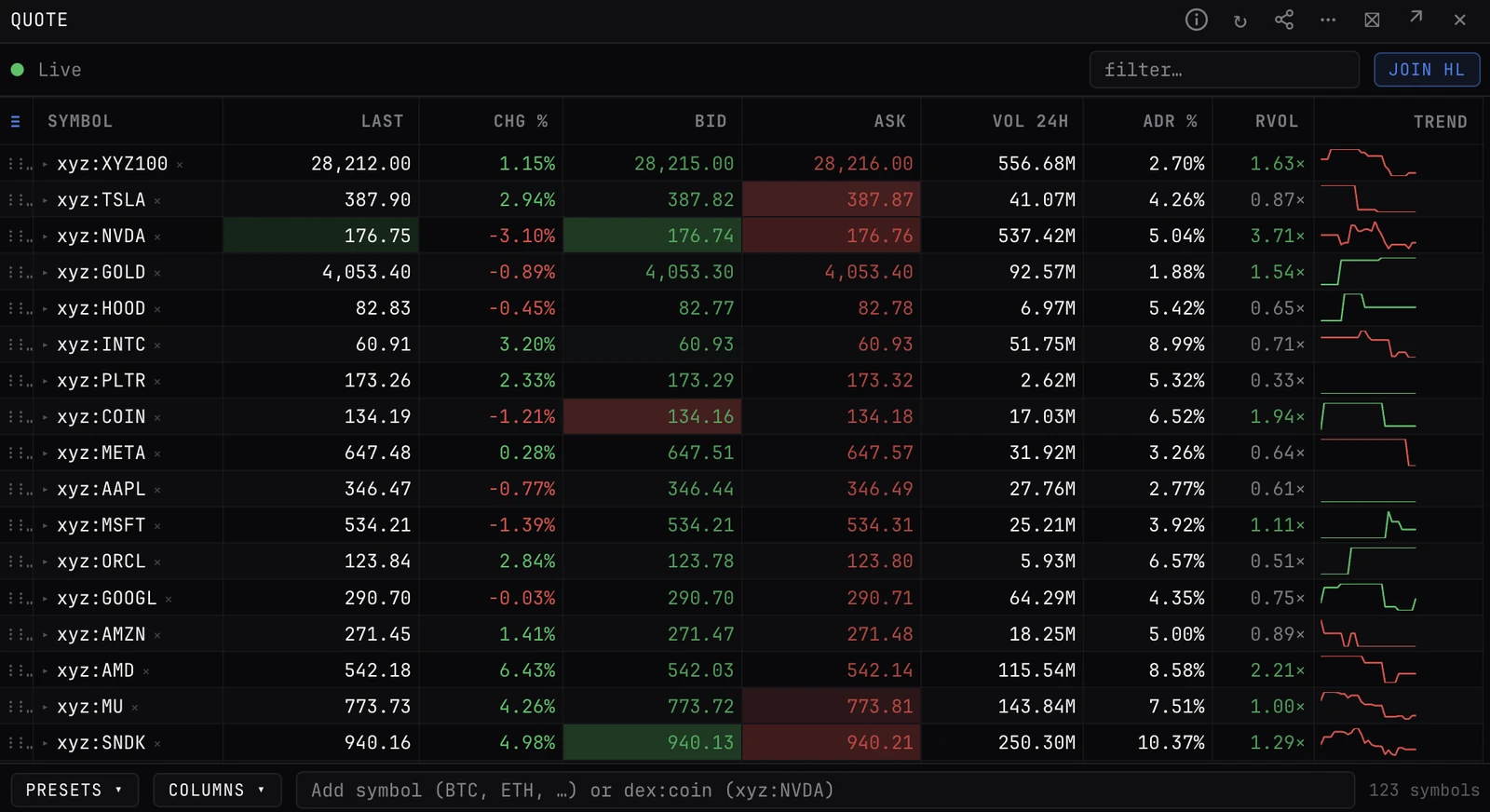
A live, tick-by-tick quote board for Hyperliquid perps and HIP-3 markets (perps other teams list on Hyperliquid, such as trade.xyz's stocks and commodities), for markets you pick: last, change, bid, ask, volume, open interest and funding.
QUOTEQUOTESHLQUOTEHLQWATCHLISTHyperliquid perps, including HIP-3 markets such as trade.xyz (added as xyz:NVDA). Its stocks and commodities are perps, not shares.
Typing it
QUOTE>QUOTE
Opens a live board of 15 major Hyperliquid perps, from BTC, ETH, SOL and HYPE down.
The columns
- Default. Last, Chg %, Bid, Ask, Vol 24h, OI $ and Fund 8h.
- OI $. Open interest in dollars, the coin count valued at the mark price. The coin count is in the row detail.
- Fund 8h. Funding per 8 hours. Hyperliquid settles hourly, so this is the hourly rate times 8, as SCREEN shows it. The detail has the hourly rate.
- More. The Columns menu adds bid and ask size, Spread, Spread %, Mark, Oracle, Prev day, the day's change, ATR, ADR %, RVOL and a Trend sparkline.
Working the board
- Rows. Click a header to sort, type in the filter box to narrow, drag rows into your own order (the default sort). Click a row to expand its detail.
- Symbol. Click a symbol to send it to every panel in this panel's colour group (the panels sharing its colour square).
- Trade. The Trade link opens that market on Hyperliquid's own site in a new tab. To trade it in BackQuant, use the trade page.
What to look for
- Moves in names you have no chart open for, caught as they tick.
- Funding stretched one way next to rising open interest: a crowded side paying to stay in.
Controls
- Presets
- Replace the list with Crypto majors (the default 15), All HL perps, All trade.xyz, Memes, DeFi or L1s.
- Add symbol
- Type a coin (BTC) or dex:coin (xyz:NVDA).
- Columns
- Show or hide columns, drag a title's edge to resize it, and reset the widths.
Good to know
- The list of markets is shared by every QUOTE panel in the workspace and kept when you close one. Sort, filter, columns and widths are set per panel.
- Typing WATCHLIST opens this board, not the trading watchlist. For markets on every exchange you trade, use Watchlist and markets (XWATCH) on the trade page.
Pairs well with
Questions
Can I add stocks?
Yes, the stock perps listed on trade.xyz (HIP-3 perps, not shares). Add them as xyz: followed by the ticker, or pick the All trade.xyz preset.
How is QUOTE different from SCREEN?
QUOTE is a board of Hyperliquid markets you pick, ticking live. SCREEN ranks the 200 or so most traded perps across exchanges by liquidations, volume or delta.