Delta Exposure
Dealer delta at every strike. GEX says where the magnets are, DEX says which way dealers lean, so read the two together.
DEXDELTADELTAEXDELTAEXPOSURECrypto options (BTC, ETH, SOL, HYPE) and US options (45 underlyings).
Typing it
DEXSymbol>DEXBTC
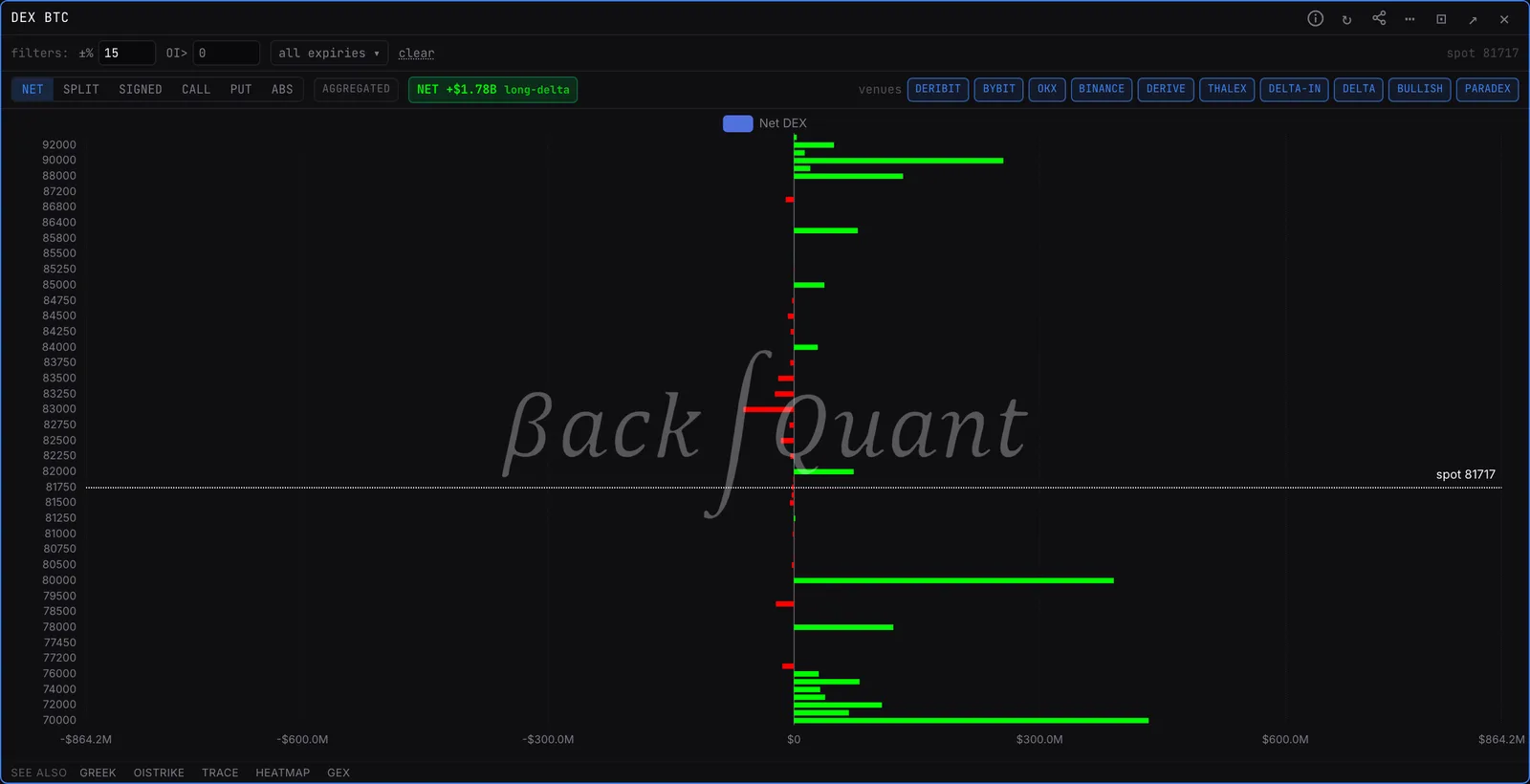
Shows BTC delta exposure at every strike, summed across venues.
What you see
- Bars. Delta exposure at each strike in dollars. Green is positive, red is negative.
- NET chip. The total across visible strikes. Positive means customers are net long delta, so dealers hold the short side and buy into rallies to stay hedged.
- Source chip. Crypto reads aggregated across venues by default. Any strike or expiry filter switches it to Deribit per-contract data.
What to look for
- Read it next to GEX. GEX says where the walls are, DEX says which way the book leans.
- A large NET that keeps growing in one direction: dealer hedging will lean the same way on every move.
Controls on the DEX panel
- NET
- One net bar per strike, calls plus puts.
- SPLIT / SIGNED
- SPLIT stacks calls above zero and puts below. SIGNED draws each side with its own sign.
- CALL / PUT / ABS
- Only calls, only puts, or magnitude only.
- Venue chips
- Crypto only: toggle venues in or out of the aggregated view.
Also on the chart
The same data can sit on the price chart. Press / on the chart and search for:
Pairs well with
GEXDEXMAPFLOWLINEOISTRIKEHEATMAP
Questions
What is the difference between DEX and GEX?
GEX measures how much dealers must hedge as price moves. DEX measures the delta they already hold, so it shows direction rather than hedging intensity.
Does DEX work on stocks?
Yes. Type DEX followed by any of the 45 US underlyings, for example DEX SPY.