

News Tape
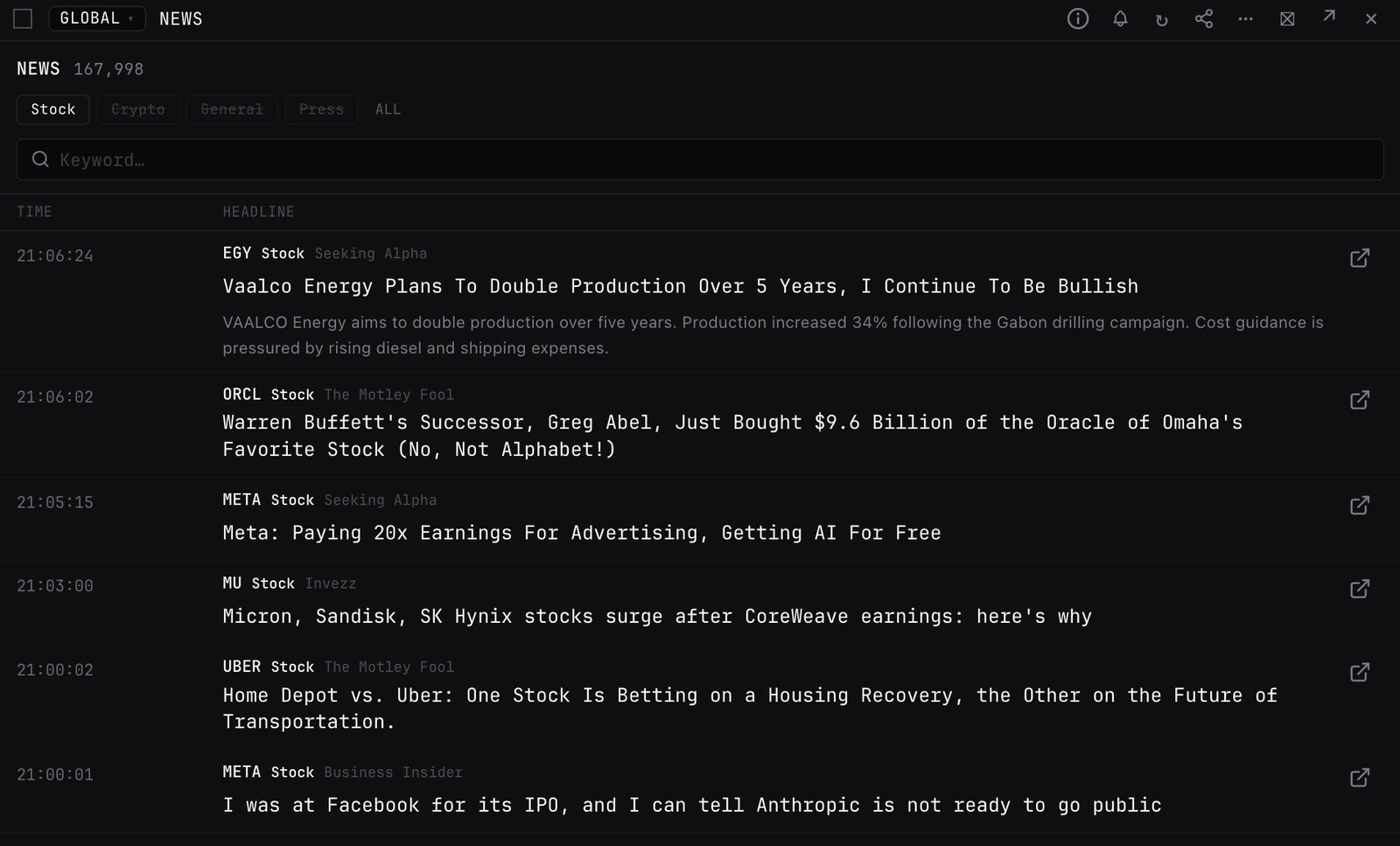
A live headline tape, newest first and refreshed every minute, with source filters and keyword search. Add a ticker for only the headlines tagged with it.
NEWSHEADLINESNEWTAPEStock, crypto, general market and press release headlines. NEWS or NEWS GLOBAL is the whole tape; a ticker shows the headlines tagged with it.
Typing it
NEWS[Symbol | GLOBAL]>NEWSAAPL
Shows only headlines tagged with AAPL.
What you see
- Tape. Newest first, refreshed every minute. While you read further down, new headlines land without moving your place.
- Sources. Each headline is tagged Stock, Crypto, General or Press.
- Headline. Click one for its summary. The link icon opens the original article.
- History. Scroll down to load older headlines.
How to read it
- A headline that lines up with a move you are already watching.
- Press releases are the company's own words: read them for the numbers, not the tone.
- Scope to a ticker next to its chart or options book to see what the market is reacting to.
Arguments and controls
- Symbol
- Optional. A ticker shows only headlines tagged with it; GLOBAL, or nothing, is the whole tape.
- Stock / Crypto / General / Press
- Source chips, all on by default. Click one to mute that source.
- Keyword
- Searches headlines across the archive.
Good to know
- An index has few headlines of its own, so NEWS SPX reads SPY's, NDX reads QQQ's and RUT reads IWM's. The header says so.
Pairs well with
FUNDAMENTALSFILINGS8KCALENDAREARNINGS
Questions
How do I see news for one stock?
Type NEWS with the ticker, for example NEWS NVDA. Plain NEWS shows the whole tape.
How often does the tape update?
Every minute. Headlines already on screen stay put while the new ones load.
Can I hide crypto headlines?
Yes. Click the Crypto chip to mute it. The panel remembers which sources you turned off.