

Aggregated Trades
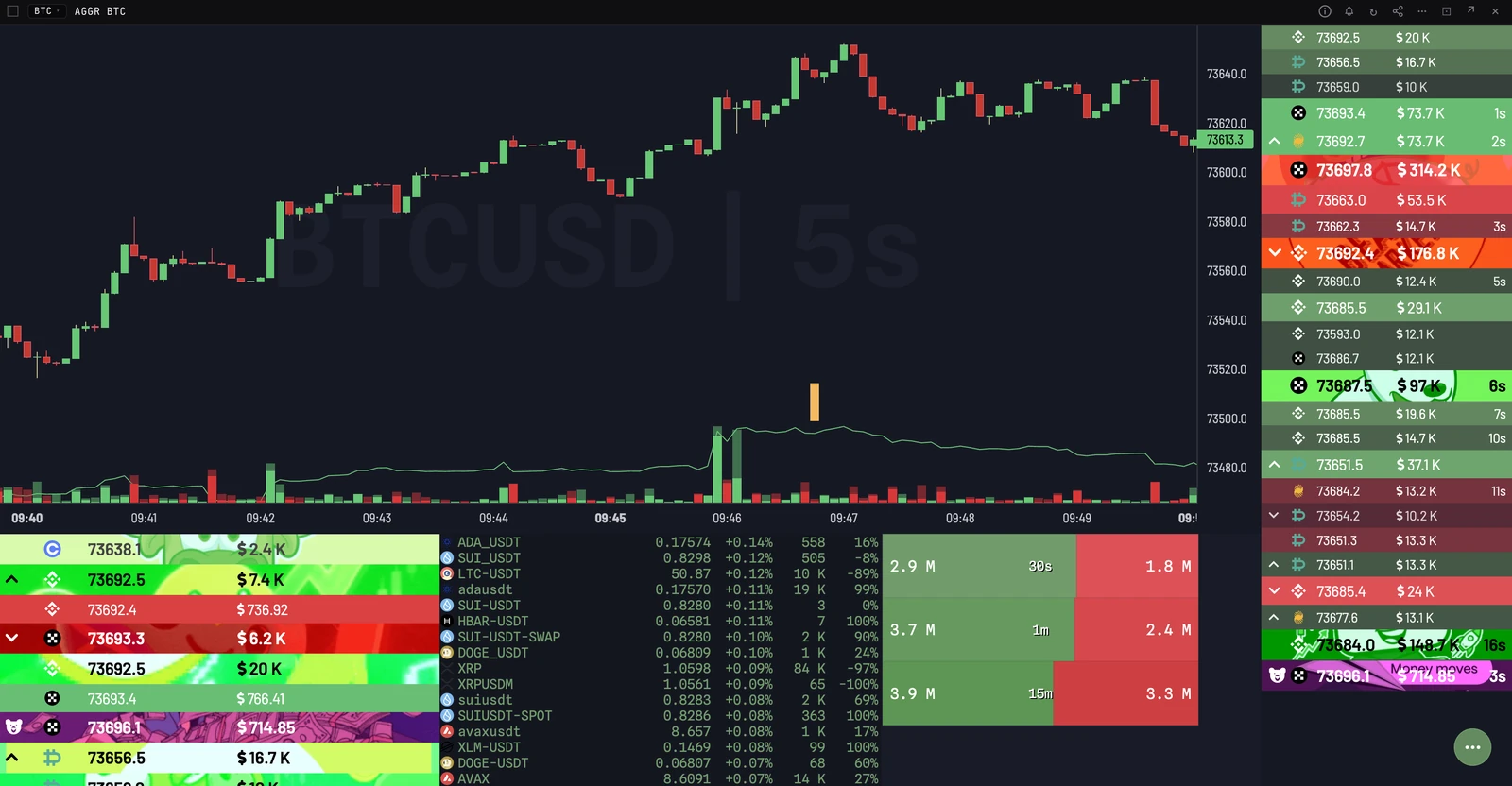
Every spot and perp trade for a coin across many crypto exchanges in one live tape and chart, so size split across venues shows up together. It reads spot and perp trades, not options, though the terminal files it under Options flow.
AGGRAGGRTRADECrypto. The panel's coin is matched across every spot and perp exchange the tape connects to, whatever the quote currency.
Typing it
AGGR[Symbol]What it is
- Its own app. The panel runs a separate trade tape application inside it, with its own tape, chart, settings and layout controls.
- Live trades. Trades stream to your browser straight from the exchanges, not through BackQuant servers.
- Saved. Layouts and settings you change inside the panel are kept and come back when you reopen it.
What to look for
- Aggregate size hitting one side that a single-venue tape would only show as several smaller prints.
- Spot and perp trades disagreeing: perps buying while spot sells is the same warning CVDQUAD reads over longer buckets.
Arguments and controls
- Symbol
- The coin. Left out, your default symbol.
- Refresh (panel header)
- Reloads the tape, which also recovers it if it gets stuck.
Good to know
- Thin coins have little cross-exchange coverage and can show an empty chart.
- It runs a whole second application, which makes it the heaviest panel. Open it when you want it rather than leaving it in a default layout. It starts only once the panel is on screen.
- On the free plan it is live, the same as on a paid plan.
Pairs well with
Questions
How is AGGR different from TRADES, DOM and OB?
AGGR is every trade from many spot and perp exchanges in one tape. TRADES is big Hyperliquid prints only, with sound. DOM and OB show resting orders rather than trades.
Do my settings inside AGGR persist?
Yes. Layouts and settings you change inside the panel are kept and come back when you reopen it.
Why is the chart empty?
The coin has little coverage across the exchanges the tape connects to. Try BTC or ETH, or press refresh in the panel header.