


Macro Series
A finder for free official macro series: the ones the terminal lists from FRED, the ECB, BIS, IMF, World Bank, US Treasury and OECD, and FRED's whole catalog by search. Preview a series, then open it on a chart as a Macro series pane, next to price.
MACROFREDSERIESGlobal. The listed series from FRED, the ECB, BIS, IMF, World Bank, US Treasury and OECD, and FRED's whole catalog by search.
Typing it
MACRO[Search]What you see
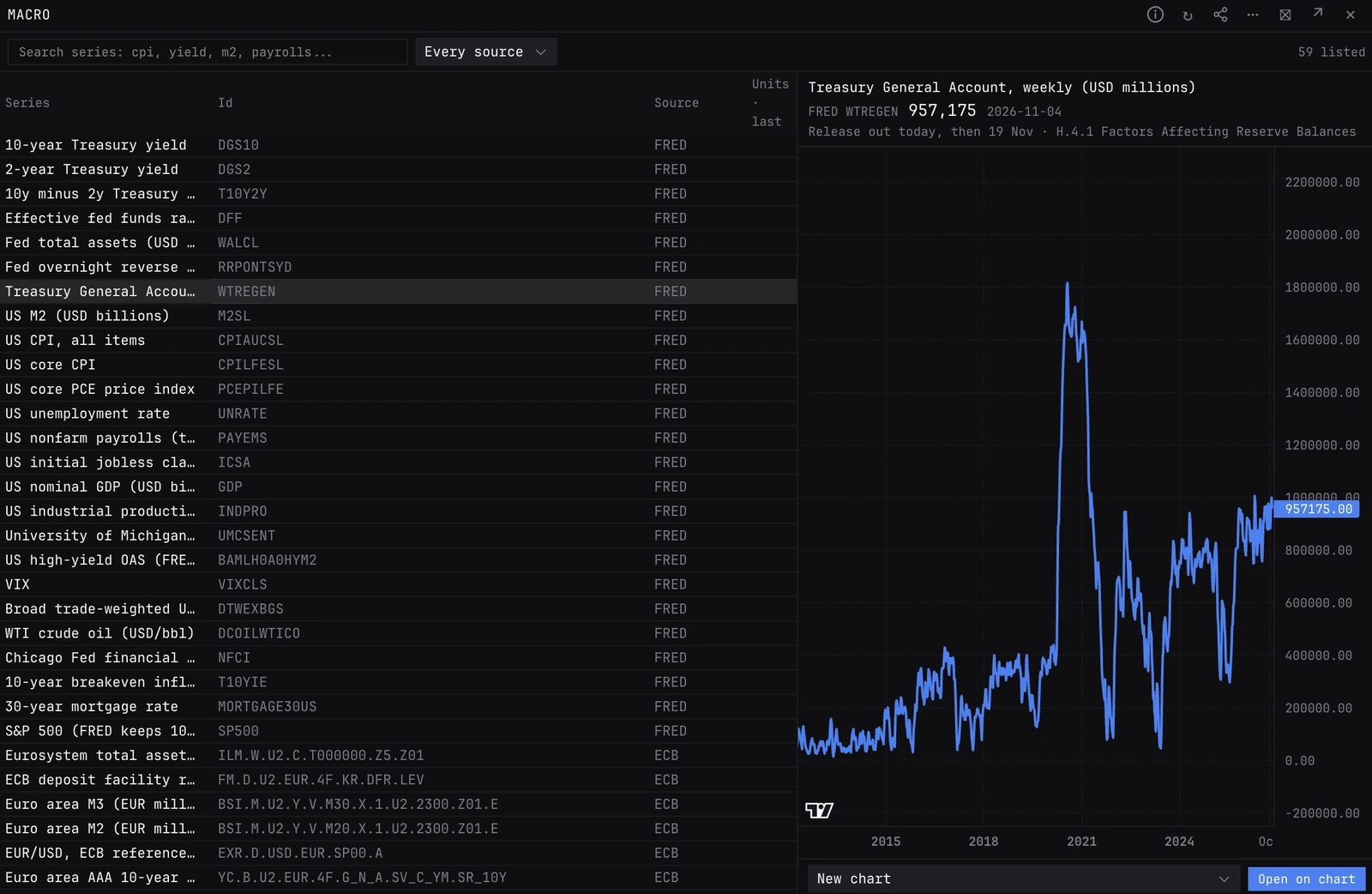
- Rows. Series, Id, Source, and Units · last. The listed series come first. FRED search results sit under them, marked FRED search, with units, frequency, SA when seasonally adjusted, and the last observation date.
- Count. Top right: how many listed series match, and how many more FRED's top 25 results add.
- Preview. Click a row for its full history as a line, the last value and the date it is for. A FRED series still published also shows its next release, such as next 6 Nov, or out today on release day.
- Open on chart. Under the preview: pick a chart and press it. A line below says whether the chart took the series.
- Stored copy. Beside the value: the source was unreachable, and the last stored copy is shown.
How to read it
- Each series is in its own units: a level, a rate or an index. To compare series, set Show to YoY % once it is on the chart.
- Most sources date a value by the start of its period, so a monthly figure sits on the 1st of its month, weeks before it was published.
On the chart
- The series becomes a Macro series pane. Show: Level, YoY %, Change or Change % over a number of observations. FRED series can also show the revision since the first print.
- Shift forward (weeks) draws the series later or earlier, for lead and lag reads against price.
- FRED series: Dates set to As first published draws each value from the day it came out, and Mark releases puts a dot at each release.
- Add the pane again for a second series.
Controls on the MACRO panel
- Search
- Every word must match a series name, its id or its source. From two letters, FRED's catalog is searched too, most popular first. Words typed after MACRO open the finder with them in.
- Source
- Every source (the default), or one: FRED, European Central Bank, BIS, IMF, World Bank (annual), US Treasury or OECD. FRED is searched on Every source and FRED.
- Row
- Click to preview the series; click again to clear.
- Chart
- Where Open on chart sends it: any chart in this workspace, or New chart. The chart you last clicked in is picked first.
- Open on chart
- Adds the series to that chart as a Macro series pane.
Good to know
- FRED serves today's revised figures for the past. To see what the market knew on the day, set Dates to As first published on the chart: FRED series, levels only, not daily series.
- A FRED search result opens by its FRED ID, the same as typing a custom ID into the Macro series pane. The other sources take a custom ID in the pane too, in their own format.
- The next release shows only for a FRED series that is still published. CALENDAR RELEASES lists the coming releases of every series the terminal carries.
Also on the chart
The same data can sit on the price chart. Press / on the chart and search for:
Pairs well with
LIQIDXTYIELDSCPIMACROREGCALENDAR
Questions
Which sources can I search?
Typing filters the listed series from all seven sources, and also searches FRED's whole catalog. The ECB, BIS, IMF, World Bank, Treasury and OECD are not searched live: pick from their listed series, or paste a series ID into the Macro series pane.
Why does a monthly value sit before it was released?
Sources date a value by the start of its period, so March's figure sits on 1 March. On the chart, set Dates to As first published (FRED series) to draw each value from the day it came out.
How is MACRO different from CPI, CREDIT or TYIELDS?
Those are built panels for one subject, with their own maths and stats: run rates, components, percentiles. MACRO is a finder for one raw series at a time, and its job is to get that series onto a chart next to price.