


Macro Surprise History
For one US macro release, every past print with how BTC, the S&P 500 or the Nasdaq-100 moved in the hours after it, and whether the move followed the surprise.
SURPHISTSURPRISEREACTIONSURPUS macro releases: CPI, NFP, FOMC, PCE, PPI, GDP, unemployment, ISM manufacturing and services, retail sales, jobless claims, continuing claims and JOLTS. Reactions in BTC, the S&P 500 and the Nasdaq-100.
Typing it
SURPHIST[Code][BTC | SPX | NDX]What you see
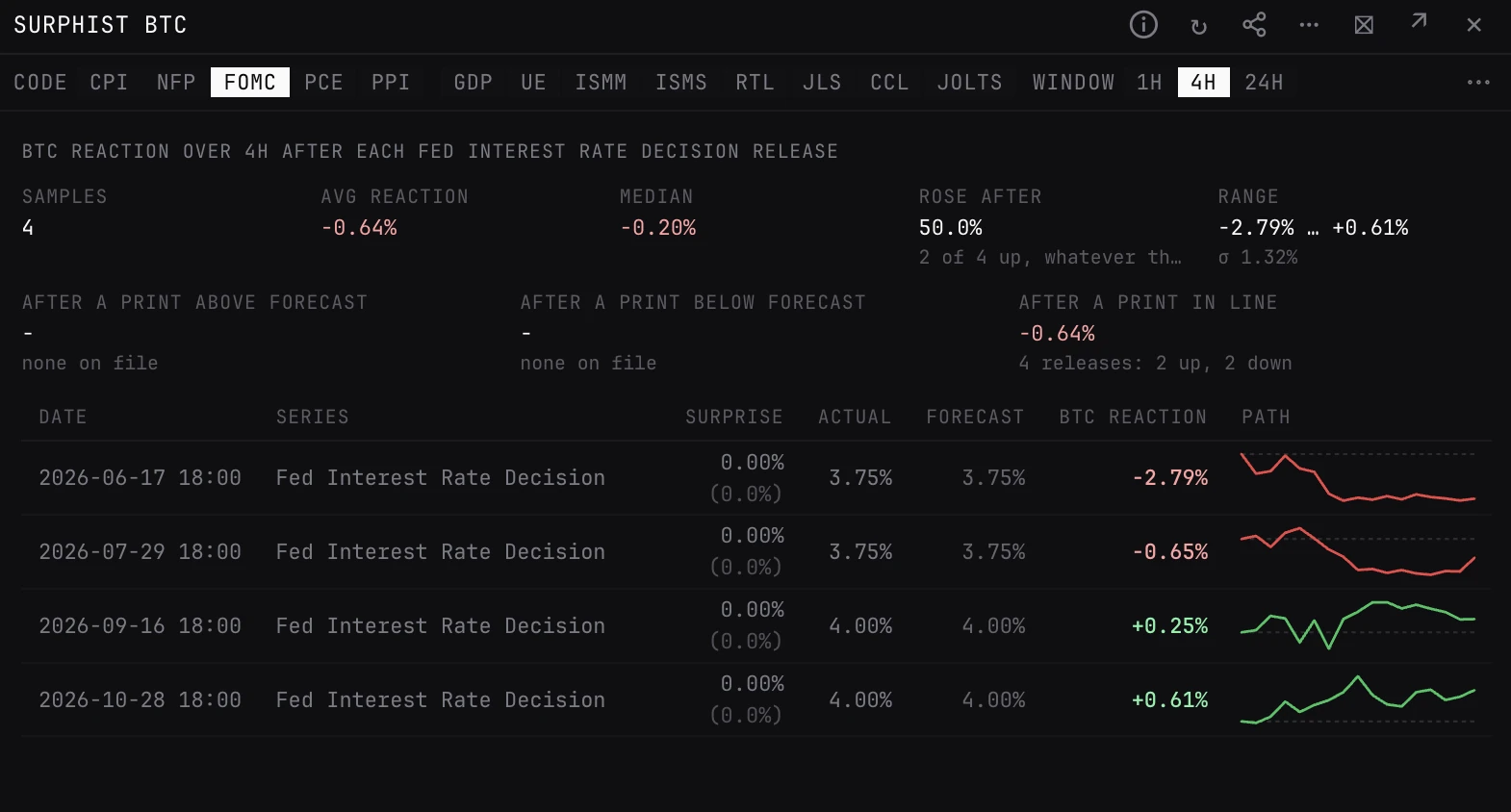
- Stats. Samples, the average and median move over the window, Rose after (the share of releases the asset went up after, whatever the surprise said), and the range with its standard deviation.
- By surprise. The average move and how many went up or down after a print above forecast, below forecast and, where there are any, in line.
- Rows. One per release day: date, the series read, surprise, actual, forecast, the move, and a sparkline of the real price path with the release level dashed. Green ended higher, red lower.
- Series. A release with several numbers (CPI MoM, CPI YoY, core and the rest) is read on one series throughout, so the surprises compare. Pick another in the Series menu.
How to read it
- The two sides moving opposite ways, down after hot prints and up after cool ones: the market trades the surprise.
- Read the median and the share up together. A high share up with a tiny median is not a trade.
- Which side is good news depends on the series. CPI above forecast is hotter inflation; jobless claims above forecast is a weaker labour market.
- Read the sample count first. A handful of releases is not a reliable average.
Arguments and controls
- code
- The release: CPI (the default), NFP, FOMC, PCE, PPI, GDP, UE (unemployment), ISMM, ISMS, RTL (retail sales), JLS (jobless claims), CCL (continuing claims) or JOLTS. Type it after the command or pick it in the panel. A code it does not have gets an error listing the codes.
- Series
- Which number of the release is read, where it has more than one. Each release opens on its usual series.
- window
- Reaction horizon: 1h, 4h (the default) or 24h.
- n
- How many past releases: 12, 24 (the default) or 48.
- asset
- BTC (the default), S&P 500 or NASDAQ 100. Type BTC, SPX or NDX after the command (SPY and QQQ work too), or pick it in the panel.
Good to know
- The move runs from the price as the release lands (the open of its 15 minute bar) to the close of the bar the window ends in.
- The S&P 500 and Nasdaq-100 are measured on SPY and QQQ, which trade from 04:00 New York, so an 08:30 release is caught as it lands.
- The release history starts in mid-2026, so most codes have 5 to 12 samples. Until more build up, n=24 and 48 show every print on file. Releases older than a year of 15 minute BTC candles, or before May 2026 for SPY and QQQ, show no reaction and are left out of the stats.
Pairs well with
Questions
What does Rose after mean?
The share of past releases after which the asset was higher at the end of the window, whatever the surprise was. The by-surprise figures underneath split the same moves by whether the print beat or missed its forecast.
How do I open it on a release?
Type SURPHIST and the code, for example SURPHIST CPI, SURPHIST FOMC or SURPHIST JLS. Plain SURPHIST opens on CPI. Add SPX or NDX for the S&P 500 or Nasdaq-100: SURPHIST NFP SPX.
How is SURPHIST different from CALENDAR?
CALENDAR lists upcoming and recent releases, and an expanded row shows the last 8 reactions. SURPHIST takes one release and shows up to 48, three assets, three windows and the split by surprise.