


Session Clock
Which stock exchange sessions are open right now, how long until each opens or closes, and when two of them overlap.
CLOCKSESSIONSWORLDCLOCKASX, TSE, LSE and NYSE by default. HKEX, SGX, FWB and TSX can be added.
Typing it
CLOCK>CLOCK
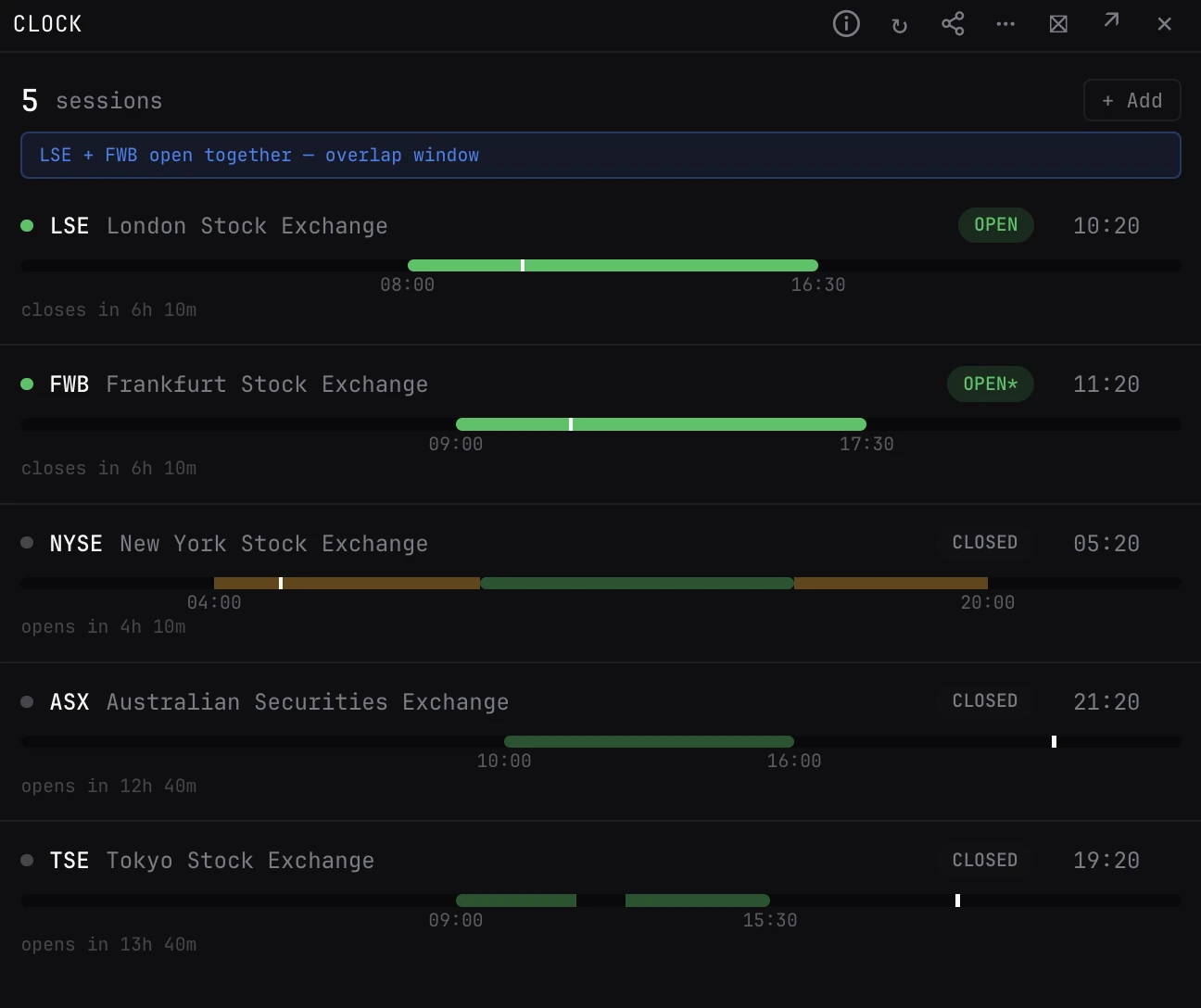
Shows ASX, TSE, LSE and NYSE with their status and countdowns.
What you see
- Rows. Each venue's local time, status and the countdown to its next change, the most urgent first. It updates every 30 seconds.
- Status. Open, Closing Soon, Lunch Soon, Lunch, Holiday, Opening Soon or Closed. Soon means within 30 minutes.
- Bar. A 24 hour timeline. Green is the regular session, faint amber is NYSE pre and post market, a gap is the lunch break, and the tick is now.
- Overlap. A banner when two or more of your venues are open at once.
How to read it
- Holidays. Holidays and early closes are known for NYSE, TSE, LSE and ASX. An asterisk on the status marks a venue whose holidays are not: on its holidays it still shows the weekday hours.
- Overlap. The London and New York overlap is usually the deepest liquidity of the day.
Venues (local time)
- ASX
- Sydney, 10:00 to 16:00. On by default.
- TSE
- Tokyo, 09:00 to 15:30, lunch 11:30 to 12:30. On by default.
- HKEX
- Hong Kong, 09:30 to 16:00, lunch 12:00 to 13:00.
- SGX
- Singapore, 09:00 to 17:00.
- LSE
- London, 08:00 to 16:30. On by default.
- FWB
- Frankfurt, 09:00 to 17:30.
- NYSE
- New York, 09:30 to 16:00, pre-market from 04:00 and post-market to 20:00. On by default.
- TSX
- Toronto, 09:30 to 16:00.
Good to know
- Times follow each venue's own time zone, daylight saving included. The clock needs no market data.
Pairs well with
Questions
Can I add other exchanges?
Yes. Use + Add in the panel for HKEX, SGX, FWB or TSX. Hover a row and press × to remove it; one venue always stays.
Does it know market holidays?
For NYSE, TSE, LSE and ASX, holidays and early closes included. The others show an asterisk and their regular weekday hours.