


Calculator
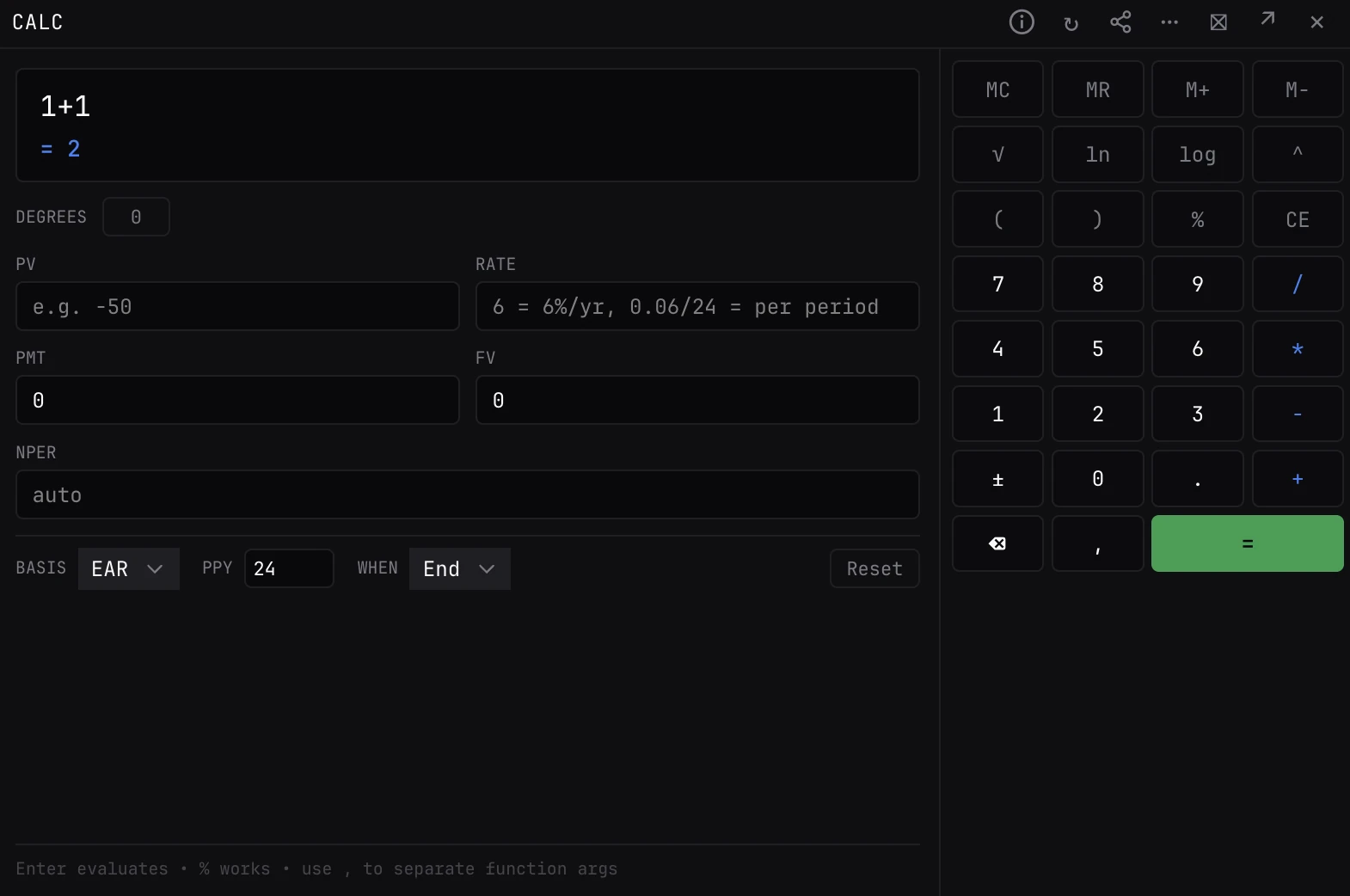
An expression calculator with a keypad, and time-value-of-money fields underneath: leave one of PV, RATE, PMT, FV or NPER blank and it solves for it.
CALCCALCULATORQCALCWorks on any numbers you type. No market data needed.
Typing it
CALC>CALC
Opens the calculator. Type 1.05^12 and press Enter for 1.795856.
What you see
- Expression. Type something like 2*(3+4): the result shows as you type, and Enter replaces the expression with it. Arrow down jumps to the finance fields.
- Finance. PV, RATE, PMT, FV and NPER. Fill all but one and press Enter to solve the blank one; the solved field is highlighted.
- Keypad. Digits and operators, memory (MC, MR, M+, M-), √, ln, log, ^, %, CE, ± and backspace. It types into whichever field last had focus.
How it works
- Functions. sin, cos, tan and their inverses, sqrt, abs, ln, log (log(x) is base 10, log(b, x) any base), exp, floor, ceil, round (round(x, d) to d places), min, max, pow and mod, with pi and e. Commas separate arguments.
- RATE. A single number is a percent a year: 6 and 6% are 6%, 0.75 is 0.75%. A formula is the rate per period: 0.06/12 is 0.5% a period. The line under the fields shows how it was read.
- Signs. Cash flows carry signs, as on a financial calculator: money you receive is positive, money you pay negative, so a loan's PV and its payments have opposite signs.
Controls
- PV / RATE / NPER
- Blank to start.
- PMT / FV
- 0 to start.
- Basis
- EAR (the default) or Nominal: whether RATE is the effective yearly rate or the yearly rate divided by PPY.
- PPY
- Payments a year. 24 to start.
- When
- End (the default) or Begin.
- Degrees
- Trig in degrees instead of radians. Off by default.
- Reset
- Clears the finance fields back to their starting values.
Good to know
- RATE is always read as a yearly figure unless you type a formula. Arrow up from the first finance field jumps back to the expression.
- CALC starts on EAR and 24 payments a year; AMORT starts on Nominal and 12. Set Basis and PPY the same before comparing the two.
Pairs well with
Questions
Does it do trig in degrees?
Yes. Turn on Degrees. It reads radians by default.
Why did it solve a negative payment?
Cash flows carry signs: with a positive PV (money received, such as a loan), the payments you make come out negative.