


Amortization Schedule
A loan schedule with the interest, principal and remaining balance of every payment, solving for whichever of loan, rate, payment or term you leave blank.
AMORTAMORTIZESCHEDULEWorks on any numbers you type. No market data needed.
Typing it
AMORT>AMORT
Opens a 200,000 loan at 6% over 360 monthly payments: 1,199.10 a payment.
What you see
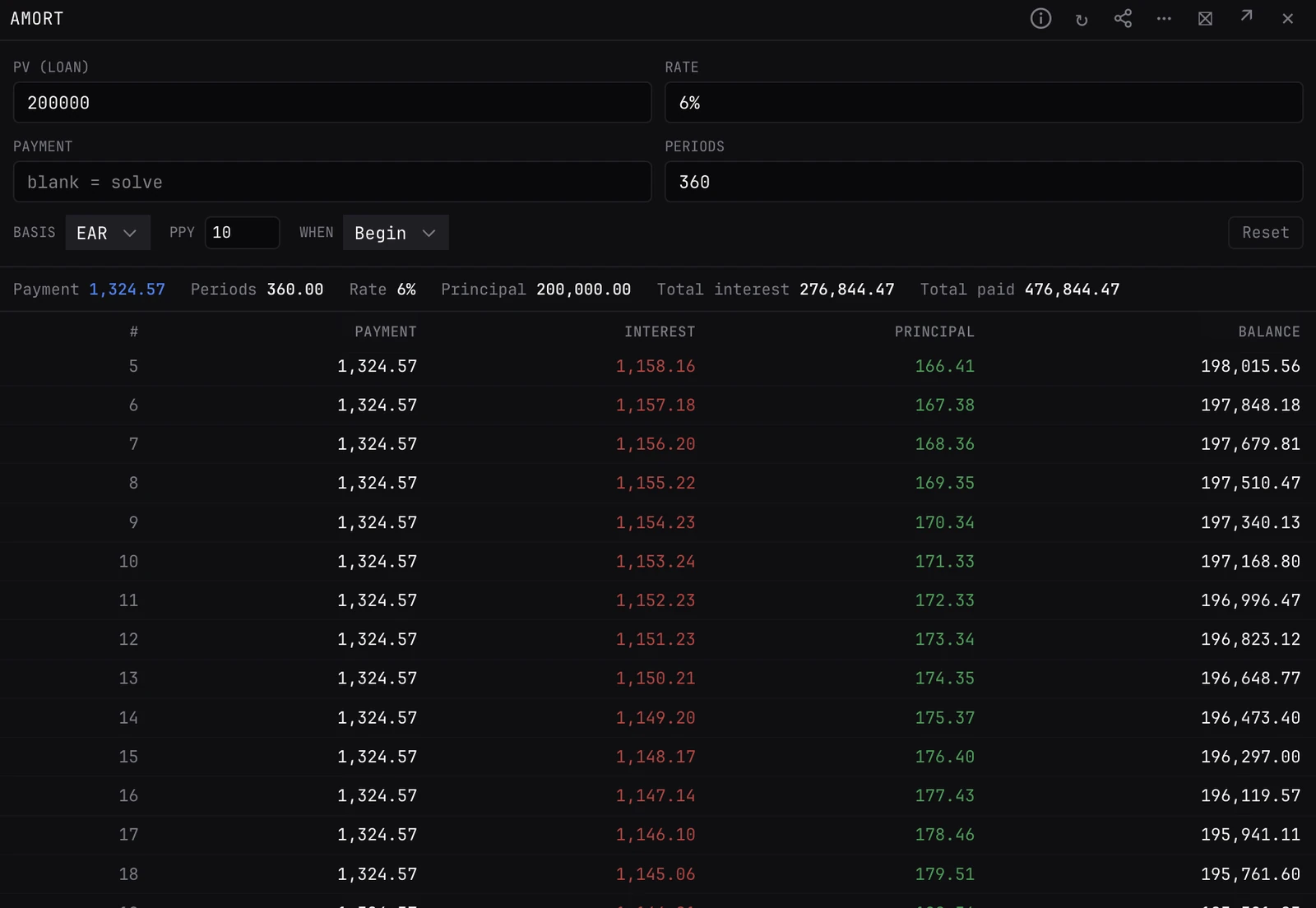
- Inputs. PV (loan), Rate, Payment and Periods, with Basis, PPY and When below. Leave one of the first four blank to solve for it.
- Summary. Payment, Periods, Rate, Principal, Total interest and Total paid. The solved field is highlighted.
- Schedule. One row per payment: #, Payment, Interest, Principal and Balance. The last row lands on exactly zero.
How it works
- Rate. A single number is a percent a year (6 is 6%). A formula is the rate per period, as in a spreadsheet: 0.06/12 is 0.5% a month.
- Each row. Interest is the remaining balance times the periodic rate; the rest of the payment is principal. Rounding drift goes into the last payment.
- Basis. Nominal divides the yearly rate by PPY; EAR treats it as the effective yearly rate, compounded PPY times.
Inputs
- PV (loan)
- 200,000 to start.
- Rate
- 6% to start. See How it works for how it is read.
- Payment
- Blank to start, so it is solved.
- Periods
- 360 to start.
- Basis
- Nominal (the default) or EAR.
- PPY
- Payments a year. 12 to start.
- When
- End (the default) or Begin: payments at the end or the start of each period.
- Reset
- Puts every field back to its starting value.
Good to know
- The loan always pays down to zero, so there is no future value field. For a balloon or savings maths, use CALC.
- AMORT starts on Nominal and 12 payments a year; CALC starts on EAR and 24. Set Basis and PPY the same before comparing the two.
Pairs well with
Questions
How do I find the payment on a loan?
Fill PV, Rate and Periods and leave Payment blank. The panel solves it and builds the schedule.
How long will a loan take to pay off?
Fill PV, Rate and Payment and leave Periods blank.